$ whoami
Riley Fallon
Cybersecurity Student & Analyst
- THREAT ANALYSIS
- NETWORK DEFENSE
~/experience
Analyst work, newest first
-
Penn State Applied Research Laboratory
Nov 2026 – Present
-
U.S. Department of War
Intern, Cybercrime Analyst
May 2026 – Aug 2026
- Queried emerging-threat Suricata rules against a proprietary database for malware discovery
- Created high-confidence, event-driven malware signatures for ongoing malware discovery
- Performed network and artifact analysis to identify and characterize threats from unattributed global actors, building C++/regex post-processing frameworks to extract actionable intelligence
- Co-authored technical reports on global cybercriminal groups
-
U.S. Department of War
Intern, System Administration
Aug 2025 – Dec 2025
- Managed and audited enterprise networks
- Administered Active Directory permissions across network systems
- Performed critical server updates and optimizations
- Automated network auditing with Linux, Ansible, Forward Networks, and Riverbed NetIM
-
PenTeleData
Technical Support Representative / Cybersecurity Specialist
Jul 2023 – Aug 2025
- Supported customer and commercial networking devices: modems, routers, switches, servers
- Co-developed a Proxmox penetration-testing lab server
- Investigated endpoint security alerts daily with Rapid7 and Cisco Umbrella
~/projects
Lab builds and side projects
No projects in this category yet.
security
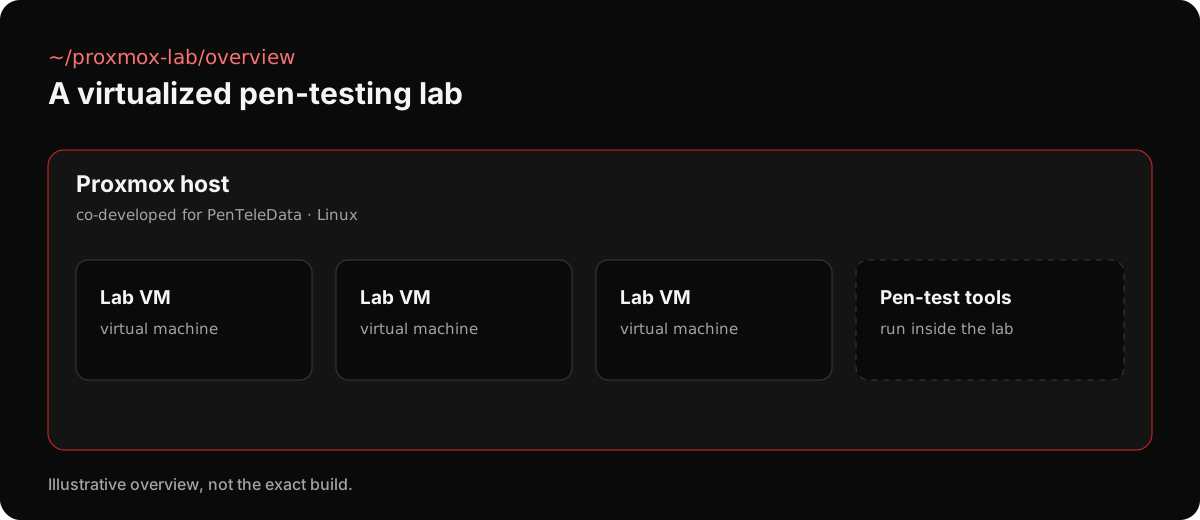
Proxmox Penetration Testing Lab
A virtualized penetration-testing lab server I co-developed at PenTeleData, built on Proxmox and Linux.
what it is
- A single Proxmox server that hosts virtual machines for penetration-testing work
- Co-developed while working as a Technical Support Representative / Cybersecurity Specialist
development
NittanyFit (Nittany Fitness)
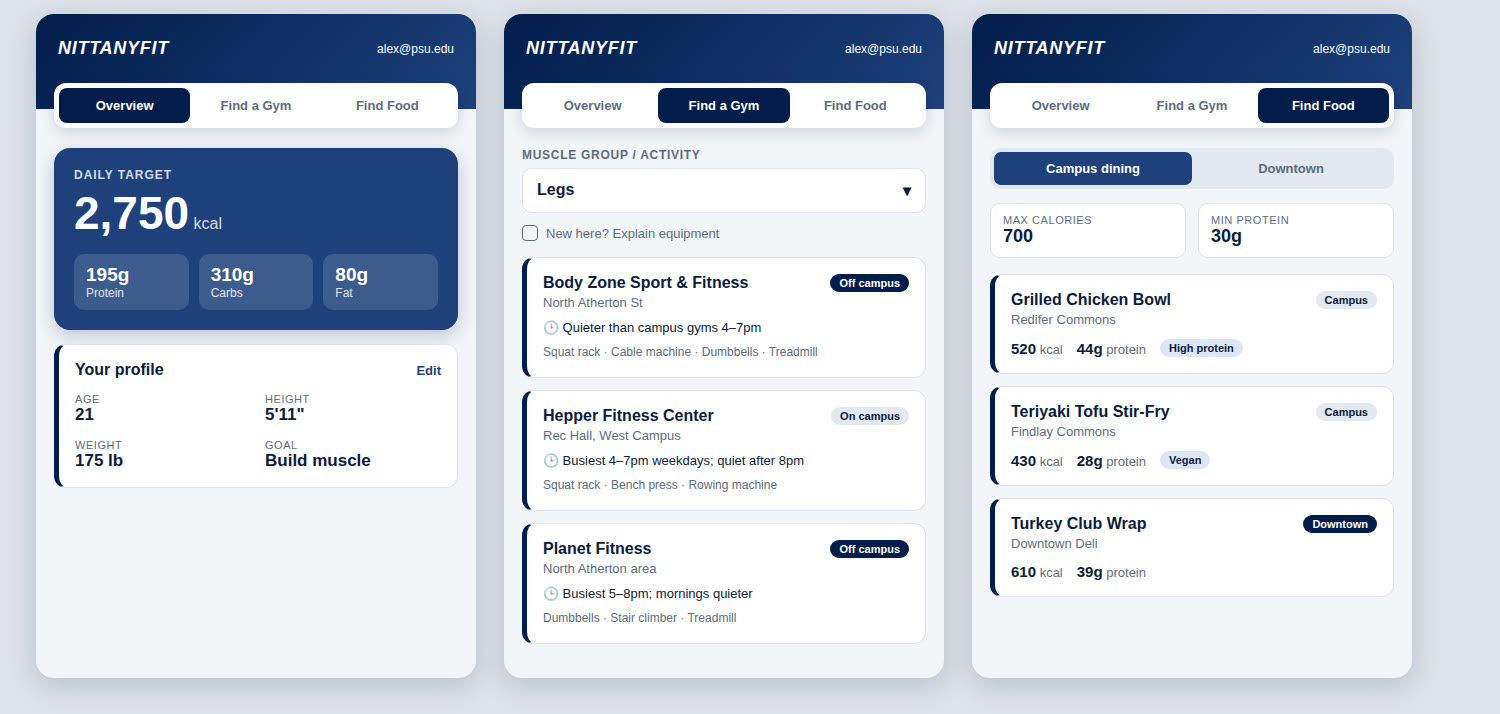
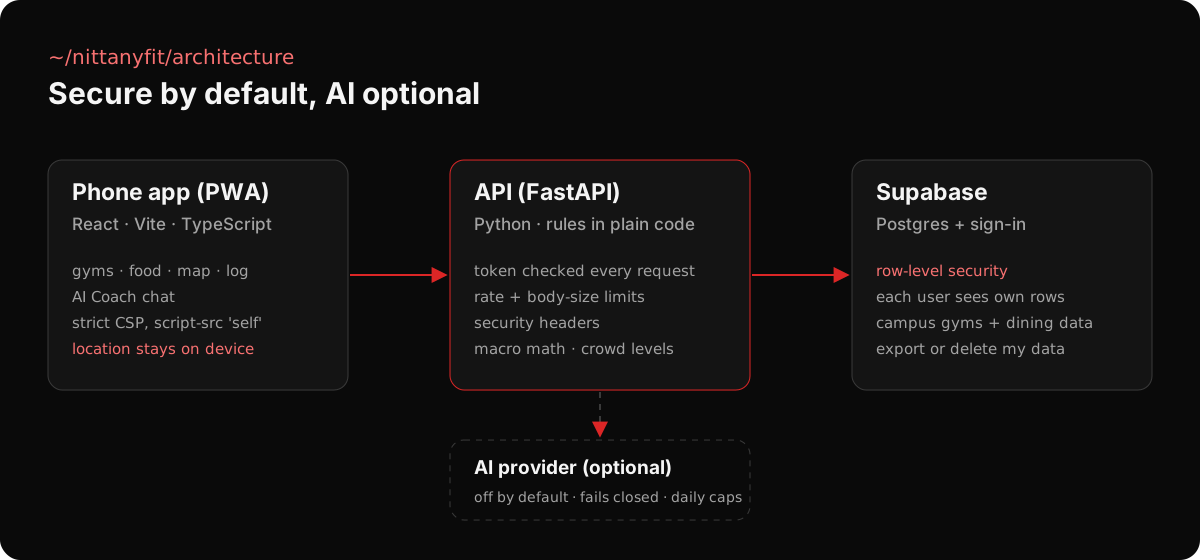
Penn State students juggle five tools to stay fit: a gym locator, a calorie counter, a dining menu, a workout log and their own memory. NittanyFit replaces all of them with one AI fitness agent that knows the student and knows the campus, so “what should I do right now?” gets one answer instead of five app switches.
what it does
- Personal targets. Daily calorie and macro goals from the student’s profile and goal, using BMR and TDEE math with safety floors.
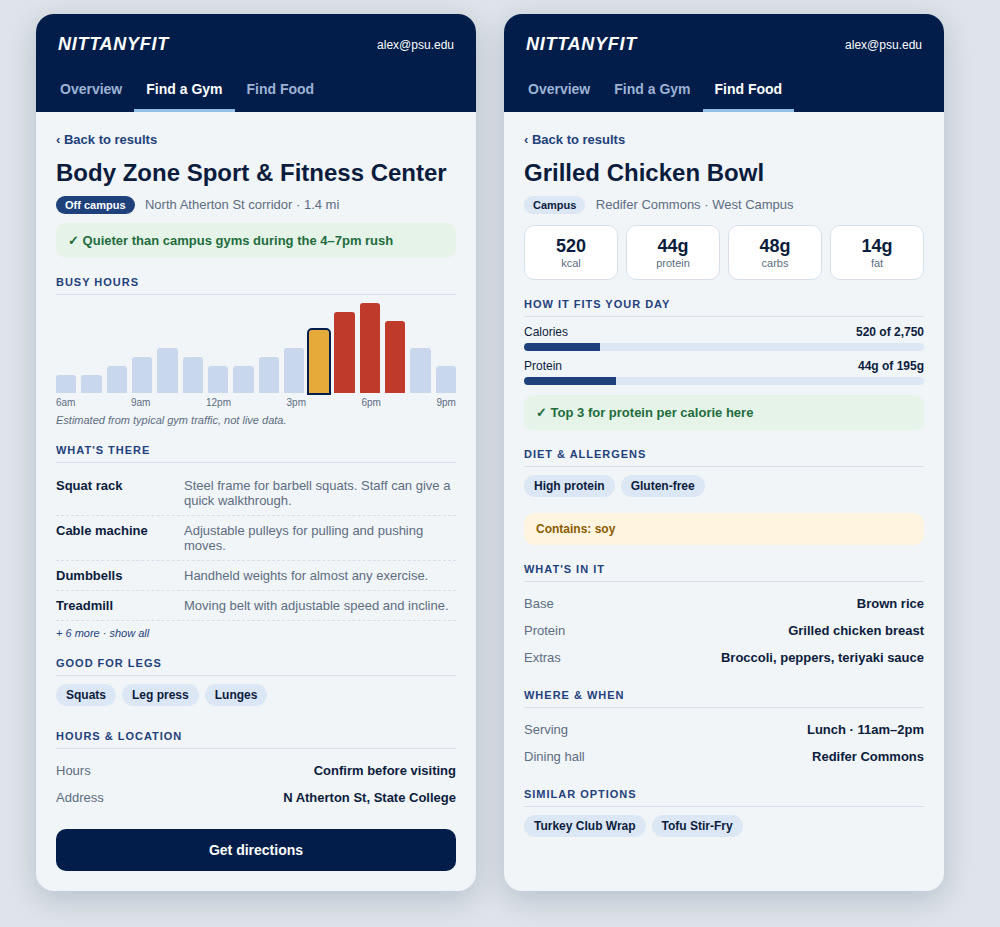
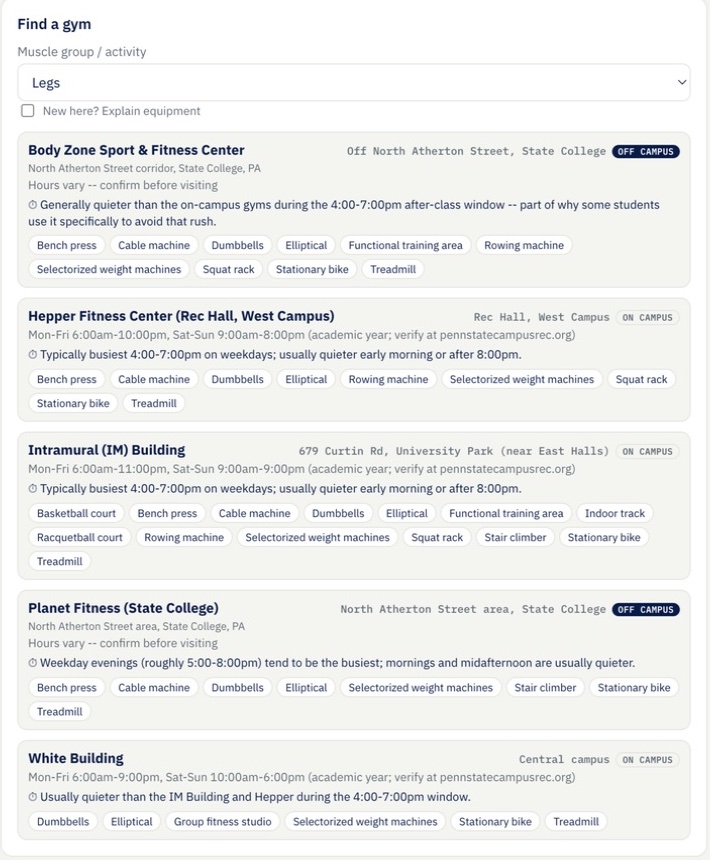
- Find a gym. Pick a muscle group and it lists the campus and nearby gyms that have the right equipment, with hours and the quiet and busy times of day.
- Find food. Ranks Penn State dining options by what still fits the day’s calories and protein.
- Food log. Log meals by photo, from the dining menu, or by typing.
- AI Coach. A chat coach that plans from the student’s own profile and goals.
- Campus map. Gyms and food on a live map with walking distance, installable on a phone like a native app.
built secure from day one
- Postgres row-level security, so every student can only ever read their own data
- Sign-in token checked on every request, plus rate limits, request-size limits and security headers
- Strict Content-Security-Policy on the front end
- AI is off by default, fails closed, and is capped per day
- Location never leaves the phone, and students can download or delete all of their data
stack
React, Vite and TypeScript front end; FastAPI (Python) back end with an automated pytest suite; Supabase for Postgres and sign-in; Leaflet and OpenStreetMap for the campus map.
development · deployed
GroceryAI
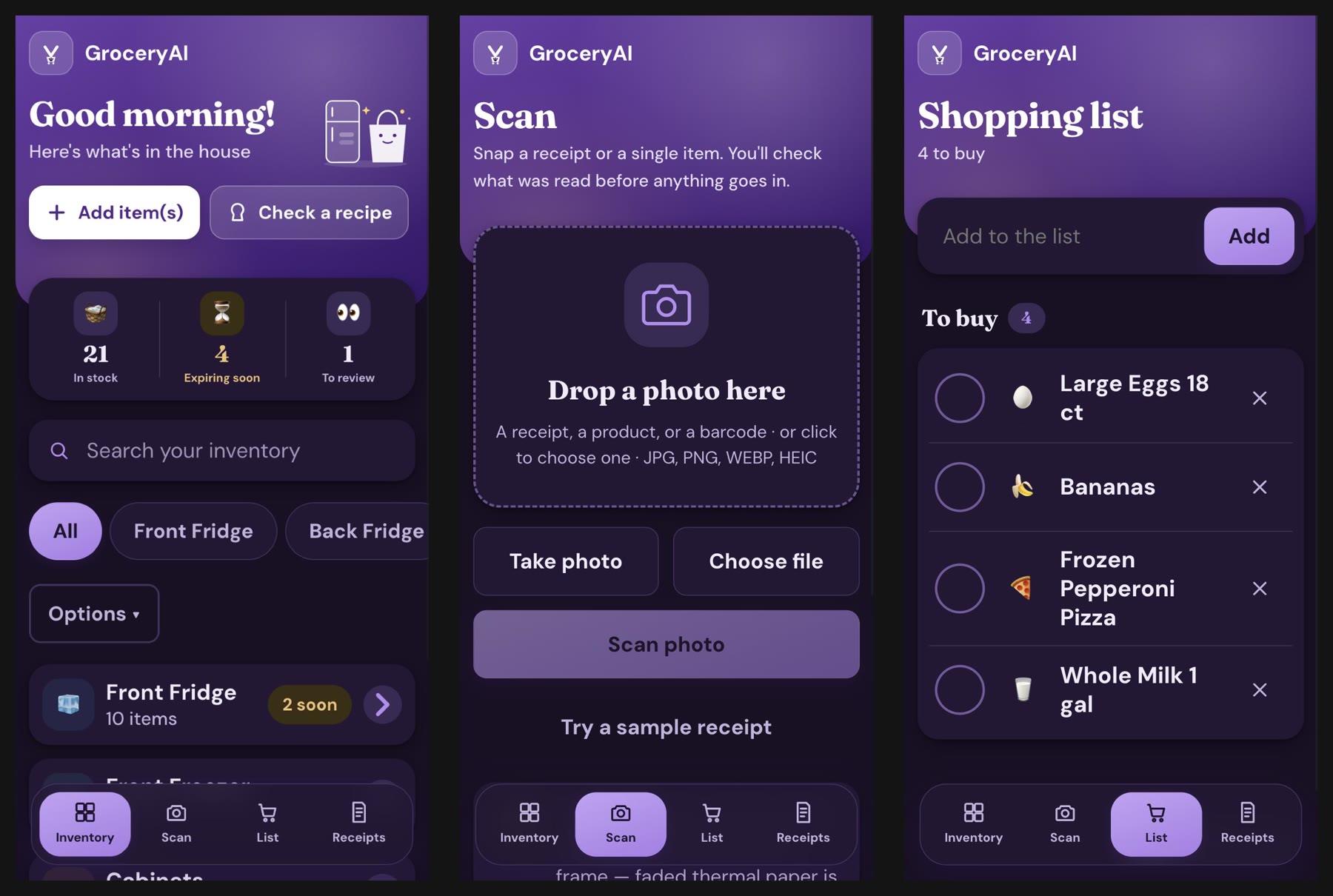
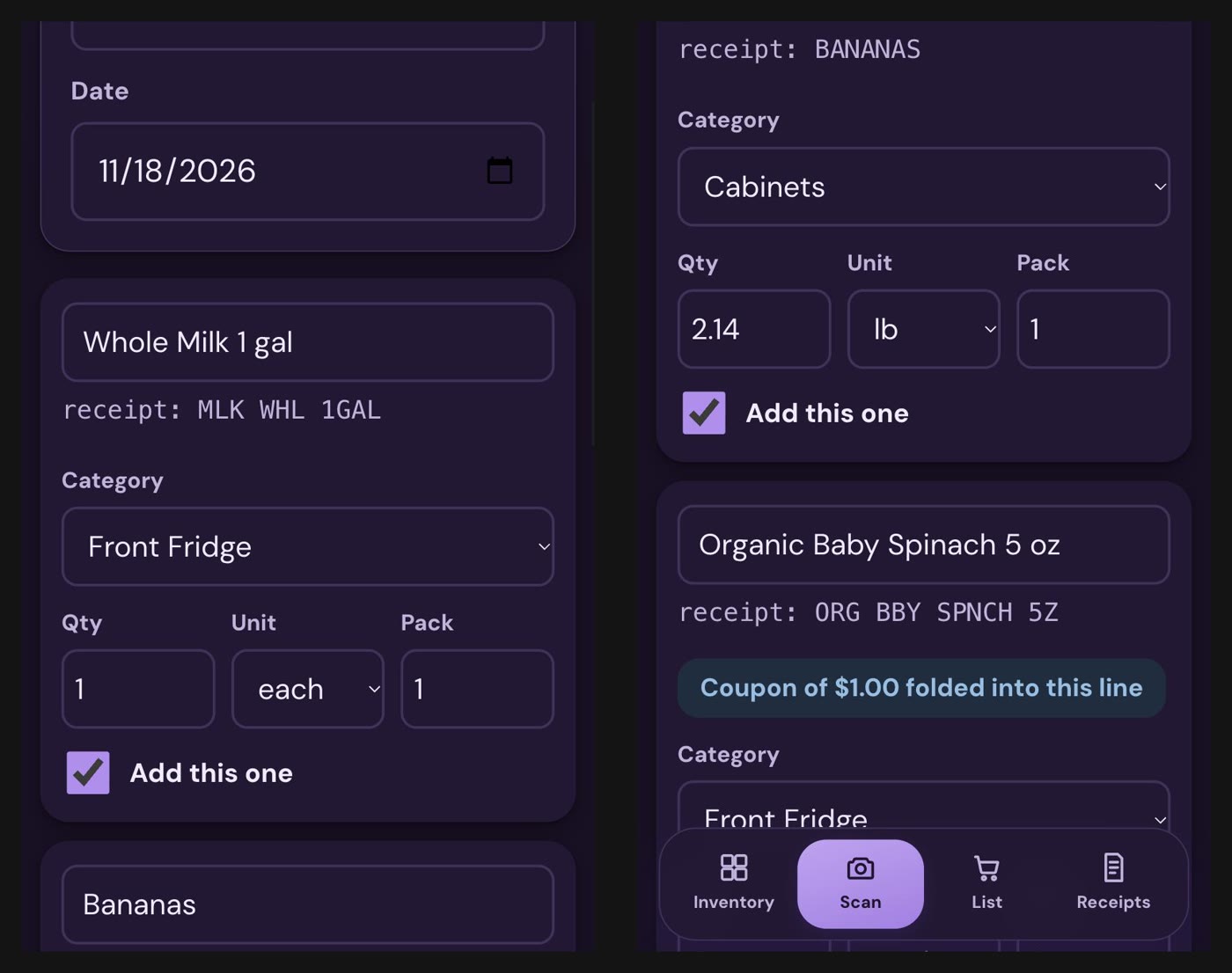
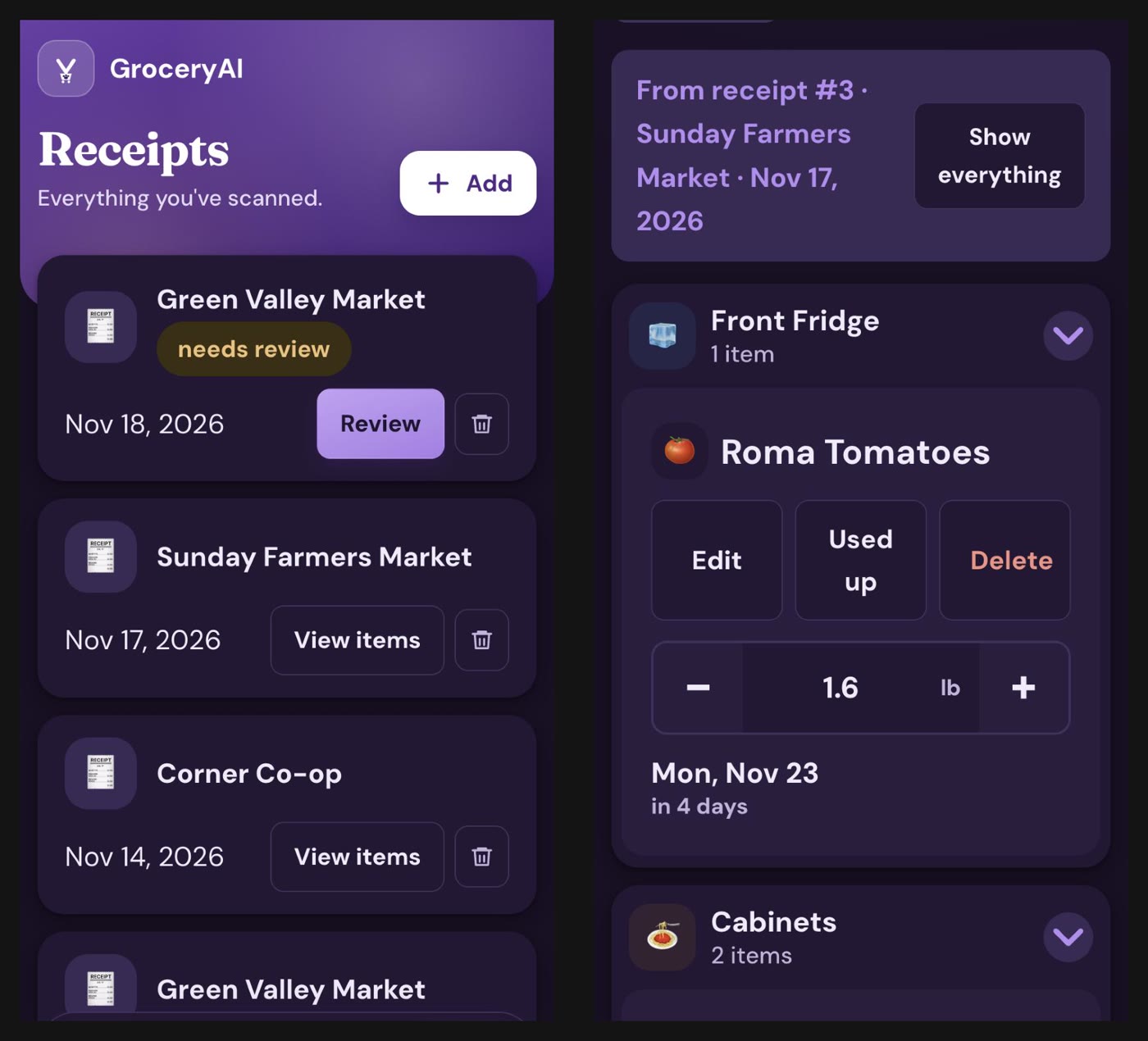
Every household runs the same loop: buy groceries, forget what’s in the fridge, buy duplicates, run out of the basics. GroceryAI closes that loop. Snap a photo of a receipt and an AI agent reads every line, cleans up cryptic names like “MLK WHL 1GAL” into “Whole Milk, 1 gal,” and files each item into the household inventory with its quantity, price, storage spot and expiry date. When you use up the last of something, it lands on the shared shopping list automatically, so “what do we need?” gets one answer instead of a fridge check and a group text.
what it does
- Receipt scanning. Claude’s vision model reads a receipt photo into structured line items: name, quantity, unit, price, discounts and returns.
- Learns your store’s shorthand. When you correct an item name once, the fix is remembered for that store next time.
- Review before save. Every scan goes through a confirmation screen, so nothing hits the inventory unchecked.
- Live inventory. Track how much is left, mark items as partly or fully used, filter by fridge, freezer or pantry, and see what’s expiring soon.
- Smart shopping list. Items you run out of are added automatically, and you check them off in the store.
- Recipe check. Paste a recipe or snap a photo of one to see which ingredients you already have.
- Other ways to add. Type a list, look up a barcode, or add an item by hand.
built with
Python, Flask, SQLite, vanilla JavaScript, and the Claude API (vision with structured tool output). It installs on a phone like an app. It’s deployed with Docker and Caddy (automatic HTTPS) on an Oracle Cloud server, with password login, login rate limiting, daily database backups, and 91 automated tests.
automation
Ri’s AI
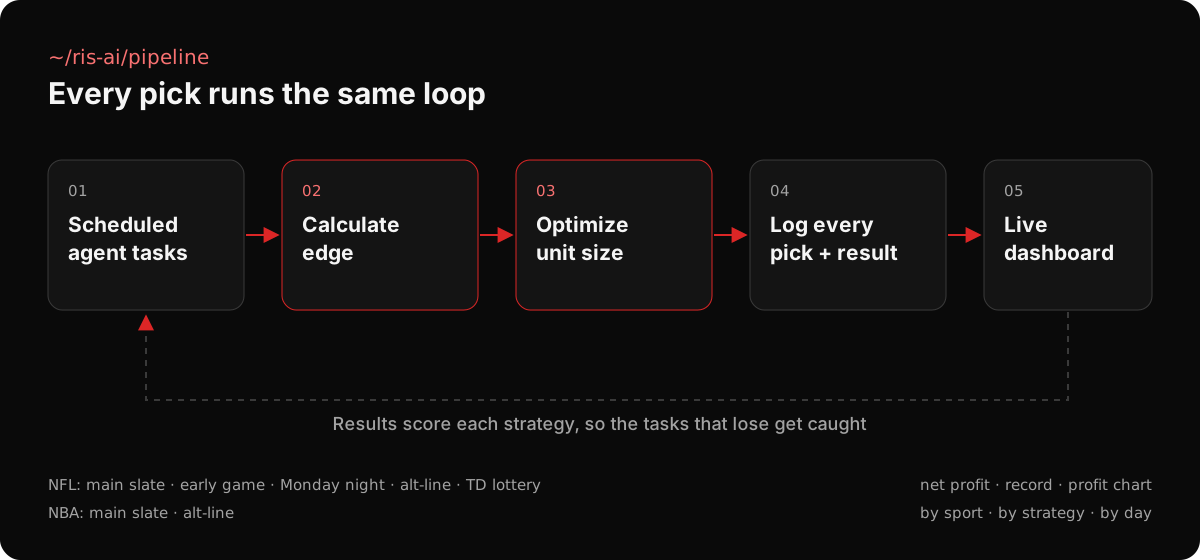
An AI sports algorithm that runs as a set of scheduled agent tasks across NFL and NBA slates. For every candidate pick it calculates its edge, optimizes the unit size to stake, and logs the pick and the result, so every strategy is judged on real outcomes.
how it works
- Calculates edge. Each pick is scored for its edge before anything is placed.
- Optimizes unit size. Stake size is set from that edge instead of a flat bet.
- Logs progress. Every pick, stake and result is written to a database as it settles.
- Runs on a schedule. Separate agent tasks cover the NFL main slate, early games, Monday night, alt-line bets and TD props, plus NBA slates.
the dashboard
A password-protected dashboard reads the log live and shows net profit, the win-loss record, a scrubbable profit chart, a day-by-day record, and a breakdown by sport and by strategy, so a losing task stands out right away.
~/network
A detection, end to end
Every node is a system I’ve worked with. Drag to orbit, click a node to make it the target, then run a detection to see how that attack plays out.
nodes
Select a node to see what it is and make it the target.
~/skills
Toolkit
- Suricata
- Malware signature development
- Network and artifact analysis
- Threat reporting
- Linux
- Active Directory
- Proxmox
- Routers / switches / servers
- Ansible
- Forward Networks
- Riverbed NetIM
- Rapid7
- Cisco Umbrella
- C++
- Python
- Java
- Regex
~/education
Penn State, Class of 2028
M.S. in Cybersecurity
The Pennsylvania State University
B.S. in Cybersecurity
The Pennsylvania State University
CyberCorps Scholarship for Service
Recipient